How to install Virtualbox and Vagrant by installing by cli with Mac El Capitan
Environment
- El Capitan Version 10.11.4
Problem
I faced below message after downloading dmg file and double-clicking Vagrant.pkg or Virtualbox.pkg.
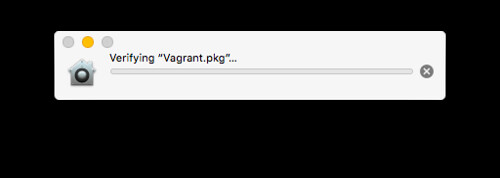
Cause
I can’t install because System Integrity Protection(SIP).
Reference
virtualbox.org • View topic - [INSTALL] Verifying “VirtualBox.pkg”… never clears – El Cap 10.11.4
Solution
- Disable System Integrity Protection(SIP)
- Install with command
sudo installer
Now, I explain “2. Install with command sudo installer”.
How to install
1.Mount
hdiutil mount VirtualBox-5.0.18-106667-OSX.dmg2.Install
sudo installer -pkg /Volumes/Vagrant/Vagrant.pkg -target /Volumes/Macintosh\ HD3.Unmount
hdiutil mount VirtualBox-5.0.18-106667-OSX.dmgConclusion
I’m able to install clearly the above ways.